
 BC2Fab
product launch film
a data pipeline, told as one unbroken movement
Business Central data into Microsoft Fabric, told as one calm, continuous flow; almost no hard cuts.
about BC2Fab
- What they do
- BC2Fab, built by navida, is a no-code connector that copies Microsoft Dynamics 365 Business Central data into Microsoft Fabric. On the Premium plan the sync runs in near real time; it also adds ready-made Power BI reports for finance, sales, purchasing and inventory.
- The problem they solve
- Business Central is built to run transactions, not analytics; so by and large, getting its data into Fabric turns into a pipeline project of its own. The pain points BC2Fab names in its film are slow loads, high Fabric capacity costs and complex multi-company setups.
- Why they exist
- To get a Business Central team from install to insight in minutes; without turning their data into yet another IT project.
- In brief
- Installed from Microsoft AppSource; covers about 250 standard tables out of the box. Microsoft lists Navida BC2Fab among the generally available workloads in its Fabric partner ecosystem.
the brief
BC2Fab needed a launch film for finance and BI teams who already live inside Business Central. The product is plumbing, tbh; tables, syncs and reports, none of it visual, pitched to an audience that has sat through enough atrocious enterprise software videos to tune out by default. In just over a minute we had to show why today's route is painful, why BC2Fab is different and how little effort it takes to start.
the idea
A product that promises a smooth sync should feel smooth to watch; make sense? So we built the film as one continuous movement. Text leaves the frame in the same direction the next idea arrives from; panels hand over to panels; there are almost no hard cuts, which is counter intuitive for an enterprise film, albeit very deliberate. The palette borrows the soft blues and glassy surfaces of Microsoft's own products, so the film sits comfortably next to the tools these teams use every day.
scene by scene
-
0:00–0:02
Hook
The film opens on the word “Business”, set so large and so close that it reads as texture; then it pulls back to “Business Central is in the cloud”, with a small 3D cloud beside it. Big, immaculate type earns the first two seconds. Before the viewer even knows what they're watching.
0:00 Oversized type and a slow pull-back; a hook that buys two more seconds of attention -
0:02–0:09
The risk and the pain
We didn't say data in the cloud can break; we showed it. The line glides left, documents pop in beside it and one gets scanned and turns red. Then three cards stack up; slow loads, high Fabric capacity costs, multi-company setups. They're styled like product UI on purpose, so the problems feel tangible; like something these teams have already seen on their own screens.
0:03 A single document fails its scan 0:07 The three pain points, dressed up as product cards -
0:09–0:15
Why it's hard
“Not built to scale” leads into a branching tree. One Business Central point travels hop after hop before it reaches “Insights”; the viewer literally watches the back-and-forth that impedes today's setup. It all builds to one line - BC data in Fabric should not be a project.
0:11 The tree makes the detour palpable 0:14 The problem statement gets a clean frame to itself -
0:15–0:22
Meet BC2Fab
The logo assembles from its two halves and the Copilot and Fabric marks join the same line, alluding to where it plugs in. Then “No code” types out next to a blinking editor cursor that never writes a single thing; followed by “No developers”. Peculiar detail. Very intentional.
0:19 The logo reveal doubles as an integration map 0:20 An idle cursor makes the no-code point on its own -
0:22–0:47
Install and sync
A simplified AppSource listing shows how small the first step is; install, then success. The real table view swings in on a rotation, tilted so the rows run past the edge of the frame. Lots of data; all of it stays in place, which is the whole point. Type carries the specifics, kept plain on purpose; over 250 standard tables, all custom tables, even multi-million-entry tables.
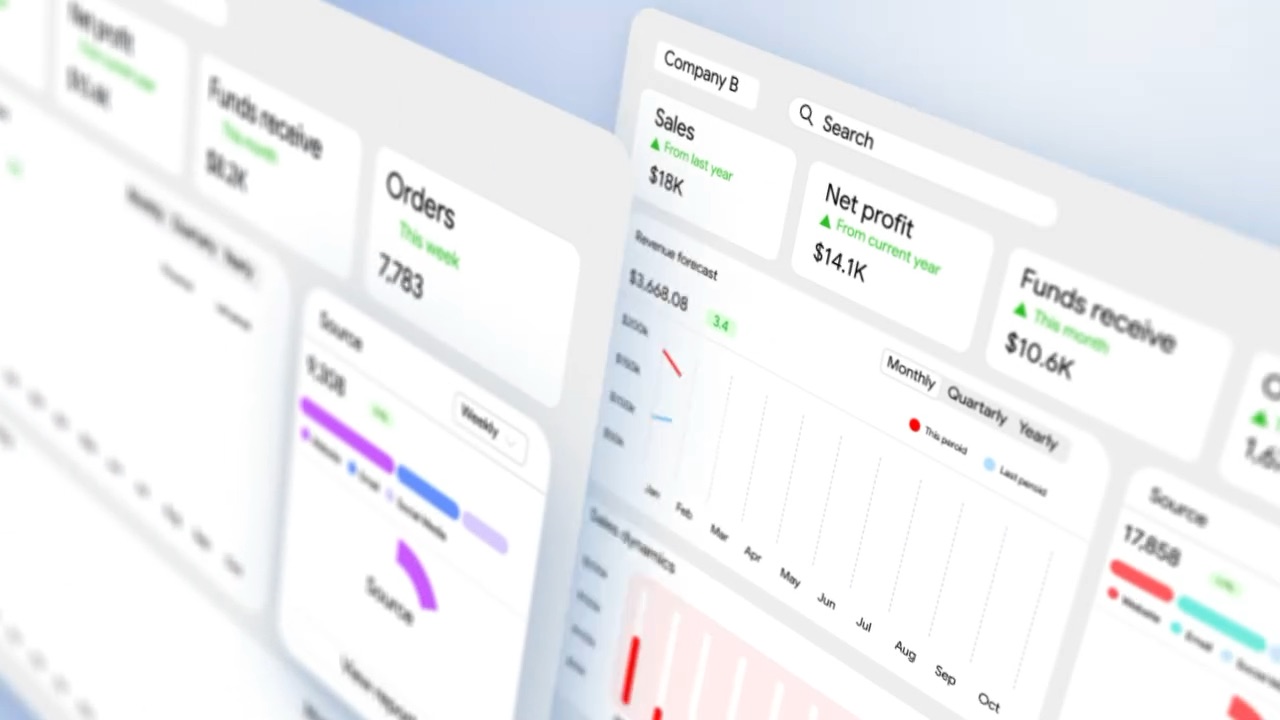
0:29 Install in one click; that's it 0:34 Tables tilted in depth to suggest scale 0:45 Live dashboards stacked in 3D -
0:47–0:59
Reports
Pre-built Power BI reports come forward three at a time; they stay sharp while the rest of the dashboard blurs behind them, so the eye goes exactly where we want it. Around 0:54 the full dashboard tilts gently into 3D. No cursor here. We used a user's profile picture with a soft halo instead; a quiet way of saying a real person uses this without help, no IT team in the vicinity.
0:50 Focus by blur; three reports forward, everything else back 0:56 A user's avatar takes over from the cursor -
0:59–1:12
Close
“Win insights from your BC data” resolves into three plain benefits; stop waiting for data, get near real-time, start driving decisions. Then the logo and BC2Fab.com, palatable and short. The last frame reads “Your data in Fabric… Today!”
1:03 Benefits as a short list; brevity wins 1:06 Logo and URL
craft notes
- Exits and entrances share a direction; the eye never has to reset between ideas
- Every interface is a simplified version of the real product; the layout stays recognisable while most of the small text goes
- Blur and depth show up only to nudge the eye towards the next thing to read
from the client
 Julian WisselCEO, navida Informationssysteme GmbH
We are very happy to work with Vyve as our media partner for our #BC2Fab solution!
Vyve · BC2Fab launch film Business Central data shouldn’t be a “project.” Stop struggling with slow loads, high costs, and messy multi-company setups that don't scale. View on LinkedIn  Liberty AI